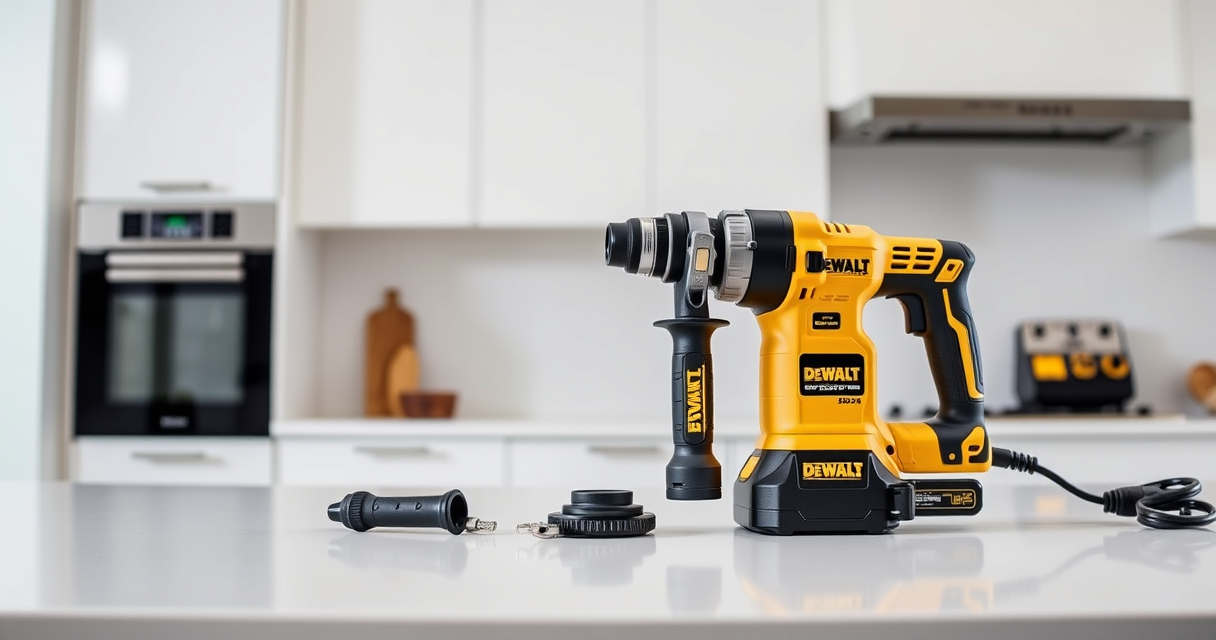

Maintaining your DEWALT power tools is essential for ensuring optimal performance, safety, and longevity. Whether you’re a professional contractor or a DIY enthusiast, regular upkeep can prevent unexpected breakdowns and costly repairs.

Get business pricing on garage and car supplies
- Business-only prices and quantity discounts
- Tax-exempt purchasing
- Multiple users, one account, clear invoices
This guide provides practical, step-by-step instructions on how to properly maintain your DEWALT tools, troubleshoot common issues, and keep your equipment in top shape. From cleaning routines to battery care, you’ll find everything you need to keep your tools functioning reliably.
Key Takeaways
| Routine Cleaning | Regular cleaning prevents dust and debris build-up, ensuring smooth operation. |
| Battery Care | Proper charging and storage extend battery life and maintain power output. |
| Lubrication | Lubricate moving parts to reduce wear and ensure smooth operation. |
| Inspection & Troubleshooting | Identify common issues early to avoid major repairs. |
| Safe Maintenance Practices | Always disconnect power sources before servicing. |
Cleaning Your DEWALT Power Tools
- Unplug or remove batteries from your tools to ensure safety before cleaning.
- Use a dry brush or compressed air to remove dust and debris from vents, switches, and motor areas.
- Wipe external surfaces with a slightly damp cloth; avoid harsh chemicals that could damage plastic or rubber parts.
- Pay special attention to the quick-release chuck and bit engagement areas, removing any stuck debris.
- Dry all components thoroughly before reassembling or storing.
Regular cleaning prevents overheating and mechanical failures caused by dust accumulation, especially in tight areas.
Battery Maintenance and Storage
- Always use the correct charger for your DEWALT batteries, such as the DCB115 or DCB101, to prevent overcharging or damage.
- Charge batteries fully before storing them for long periods; avoid storing partially charged batteries.
- Store batteries in a cool, dry place away from direct sunlight or extreme temperatures.
- Regularly check the LED indicators on batteries to monitor charge levels and health.
- Remove batteries from tools after use to prevent accidental discharge or corrosion.
Proper battery care ensures longer runtime, maintains power capacity, and extends overall battery lifespan.
Lubricating Moving Parts
Many DEWALT tools, including drills and impact drivers, have moving parts that benefit from periodic lubrication. Use a lightweight machine oil or manufacturer-recommended lubricant.
- Apply lubricant to the chuck, gear mechanisms, and any pivot points according to the user manual.
- Wipe away excess lubricant to prevent dirt attraction.
- Avoid over-lubricating, which can attract debris and impair function.
This maintenance step reduces wear, prevents rust, and ensures smooth operation during use.
Troubleshooting Common Power Tool Issues
If your DEWALT tool isn’t performing as expected, follow these troubleshooting steps:
- No Power: Check the battery charge level and ensure proper connection. Test with a known good battery.
- Tool Stops Mid-Operation: Inspect for overheating; allow cooling. Check for jammed bits or obstructions.
- Weak Drilling or Impact: Replace worn-out drill bits or impact tips. Verify battery performance.
- Unusual Noises: Examine moving parts for debris or lack of lubrication. Seek professional repair if needed.
Addressing issues promptly can prevent further damage and extend your tool’s lifespan.
Safety Tips for Maintaining DEWALT Power Tools
- Always disconnect the power source before servicing or cleaning.
- Wear safety goggles and gloves to protect against debris and sharp parts.
- Use manufacturer-approved parts and lubricants.
- Follow the user manual for specific maintenance instructions.
- Keep your work area clean and well-lit to avoid accidents.
Prioritizing safety during maintenance ensures a safe working environment and prevents injuries.
The Products in This Guide

DEWALT 20V MAX Cordless Drill and Impact Driver
- ✔ Product Weight: 3.7 lbs
- ✔ Tool Length: 7.6 inches
- ✔ LED Duration: 20 seconds

DEWALT Drill Bit Set
- ✔ Bit Lengths: Varies
- ✔ Shank Size: 3/8-inch
- ✔ Storage Case: Included
DEWALT 20V MAX Cordless Drill and Impact Driver
The DEWALT 20V MAX Cordless Drill and Impact Driver combo kit offers a compact, lightweight design with ergonomic comfort, making it ideal for tight spaces and prolonged use. Its brushless motors provide efficient power, and the included batteries and charger ensure you’re ready for any task.
Pros:
- Lightweight and compact for easy handling
- Brushless motors for efficiency and durability
- Includes 2 batteries and charger for extended work sessions
- Bright LED for visibility in dark spaces
Cons:
- Battery life may vary with intensive use
- Charging time could be longer for quick jobs
- Limited to 20V MAX system, not compatible with older models
Best for: DIY enthusiasts and professionals needing reliable, versatile cordless drills.
Not ideal for: Heavy-duty, high-torque applications requiring more powerful tools.
Bottom line: A versatile, lightweight combo kit perfect for a range of projects.
DEWALT Drill Bit Set
This DEWALT 14-piece drill bit set features 135-degree split points and high-speed steel construction, making it suitable for plastic, wood, and metal. The black and gold coating resists rust, and the 3-flats shank reduces spin-out, providing reliable performance and durability.
Pros:
- Wide range of sizes included
- Durable, rust-resistant coating
- Split point design reduces walking
- Suitable for various materials
Cons:
- Limited to drilling tasks, not for heavy impact use
- Only compatible with standard chucks
- Not a complete set for heavy-duty projects
Best for: Home workshop, DIY projects, or professional drilling needs.
Not ideal for: Heavy impact or concrete drilling.
Bottom line: A versatile drill bit set that enhances your drilling precision.
Frequently Asked Questions
How often should I clean my DEWALT power tools?
It’s recommended to clean your tools after every few uses, especially if used in dusty or dirty environments. Regular cleaning prevents debris buildup that can affect performance.
What is the best way to store batteries?
Store batteries in a cool, dry place away from direct sunlight. Remove batteries from tools after use to prevent unnecessary discharge and potential corrosion.
Can I use any charger with my DEWALT batteries?
Use only DEWALT-approved chargers, such as the DCB115 or DCB101, to ensure safe and effective charging.
Why does my drill stop suddenly during use?
It could be due to overheating, a low battery charge, or a jammed bit. Allow the tool to cool, check the battery charge, and inspect for obstructions.
How do I troubleshoot impact driver problems?
First, check the battery’s charge and connection. Replace worn bits or impact tips, and ensure no debris is blocking the mechanism. If issues persist, consult a professional repair service.
Keep Your DEWALT Tools in Peak Condition
Consistent maintenance is key to maximizing the lifespan and performance of your DEWALT power tools. Regular cleaning, proper battery care, and timely troubleshooting will help you avoid unexpected failures and ensure your tools always perform at their best.
By following the practical steps outlined in this guide, you can confidently keep your equipment in top shape, ensuring safety and efficiency on every project. Remember, a well-maintained tool is a reliable partner in any job.
Affiliate disclosure: As an Amazon Associate we earn from qualifying purchases. Prices and availability are accurate as of the time of publishing.
Evergreen bestsellers Picks
bestsellers
As an affiliate, we earn on qualifying purchases.