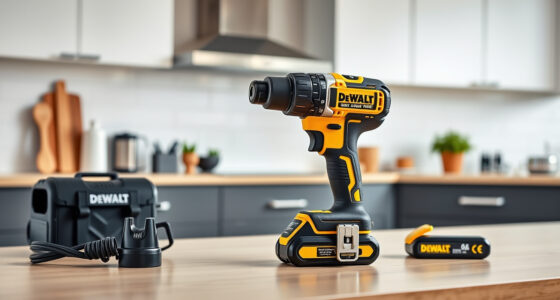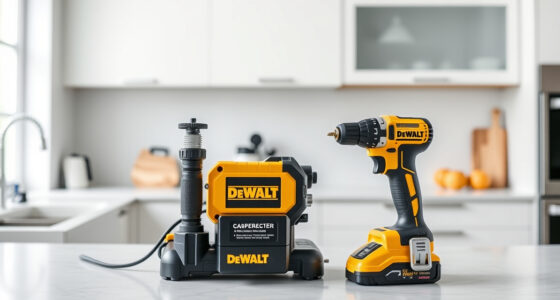
If your Milwaukee power tool charger’s red LED keeps blinking, it indicates a problem that needs attention. This issue can stem from various causes, including battery health, charger faults, or connection issues. Fortunately, most problems are fixable with some simple troubleshooting steps, allowing you to get back to work quickly and safely.

Get garage and car supplies delivered free — and shop member deals
- Fast, free delivery on millions of items
- Access to Prime Big Deal Days deals on October 6–7
- Prime Video, Amazon Music and more included
In this guide, you’ll learn clear, practical steps to diagnose and resolve the blinking red light on your Milwaukee charger, ensuring your tools stay powered and ready for action.
Key Takeaways
| Identify the cause | The blinking red LED often points to battery or charger issues. |
| Check battery compatibility | Ensure batteries are properly seated and compatible with your charger. |
| Inspect for damage | Look for physical damage or dirt on the battery contacts and charger port. |
| Test with different batteries | Try charging known good batteries to isolate the issue. |
| Follow safety precautions | Always disconnect power before inspecting or handling components. |
Step 1: Power Off and Unplug the Charger
Before beginning any troubleshooting, ensure the charger is unplugged from the power outlet. This prevents electrical shock and protects your equipment. Remove the battery from the charger and inspect both the charger and battery for any visible damage or dirt.
Step 2: Inspect the Battery and Charger Connections
- Check the metal contacts on the battery and inside the charger for dirt, corrosion, or debris. Clean contacts gently with a soft cloth or a brush if needed.
- Ensure the battery is seated properly in the charger. Remove and re-insert the battery to confirm proper connection.
- Look for any physical damage to the battery or charger casing, such as cracks or warping.
Step 3: Test with a Known Good Battery
If you have spare batteries, try charging a different one that is known to be healthy. If the blinking red light persists on the same battery, the issue might be with the charger. If the other battery charges normally, your original battery might need replacement or reconditioning.
Step 4: Reset or Restart the Charger
Some Milwaukee chargers have a reset function or a way to restart the charging process. Unplug the charger for about 30 seconds, then plug it back in. Reinsert the battery and observe the LED status. If the red blinking continues, proceed to further troubleshooting.
Step 5: Check for External Factors and Battery Compatibility
- Ensure the charger is plugged into a power outlet with a stable supply. Try a different outlet if needed.
- Verify that your batteries are compatible with the charger. Using incompatible or counterfeit batteries can cause charging issues.
- Make sure the environment is within the recommended temperature range (usually between 32°F and 104°F / 0°C and 40°C).
When to Seek Professional Repair or Replacement
If after these steps the charger still blinks red, and you’ve confirmed the batteries and connections are good, it may be time to replace the charger or consult Milwaukee’s customer service. Continuing to use a faulty charger can risk damage to your batteries or pose safety hazards.
The Products in This Guide

Milwaukee M18 18V Cordless Power Tool Combo Kit
- ✔ Voltage: 18V
- ✔ Number of Batteries: 3
- ✔ Included Tools: 8

Milwaukee Shockwave 100pcs Impact Driver Bit Set Packout
- ✔ Pieces: 100
- ✔ Storage: Packout case
- ✔ Impact Rating: Yes
Milwaukee M18 18V Cordless Power Tool Combo Kit
The Milwaukee M18 18V Cordless Power Tool Combo Kit is an all-in-one solution for professionals and DIY enthusiasts. Equipped with eight tools, three batteries, and a rapid charger, it offers extended runtime and dependable performance across various construction and maintenance tasks.
Pros:
- Includes a comprehensive set of 8 tools
- Three high-capacity batteries for extended use
- Rapid charger minimizes downtime
- Durable storage in two tool bags
Cons:
- Charger may blink red if batteries are faulty or incompatible
- Some tools may be overkill for light tasks
- Heavy kit for prolonged use
Best for: Construction, remodeling, maintenance projects requiring versatile power tools
Not ideal for: Light-duty or occasional users who prefer smaller, lightweight tools
Bottom line: A complete, reliable kit that covers a wide range of tasks with dependable power and performance.
Milwaukee Shockwave 100pcs Impact Driver Bit Set Packout
The Milwaukee Shockwave 100pcs Impact Driver Bit Set Packout offers a comprehensive range of impact-rated bits, packaged in a durable case. Perfect for enhancing your power tool’s capabilities and ensuring long-lasting performance.
Pros:
- 100 impact driver bits for various projects
- Impact-rated for durability
- Packout case for organized storage
- Compatible with all impact drivers
Cons:
- Bits may be too specialized for some users
- Case size may be bulky for small toolboxes
- Additional impact driver needed
Best for: Professional contractors and DIYers seeking reliable impact bits
Not ideal for: Users needing only a few basic bits or casual use
Bottom line: A versatile and durable impact driver bit set that enhances your Milwaukee toolkit.
Frequently Asked Questions
Why does my Milwaukee charger blink red during charging?
A blinking red light typically indicates a problem such as an incompatible or faulty battery, overheating, or a charger malfunction. Follow the troubleshooting steps to diagnose the issue.
Can I use any Milwaukee battery with my charger?
Only Milwaukee batteries designed for your specific M18 system are compatible. Using incompatible or counterfeit batteries can cause charging issues and damage.
How do I know if my battery is bad?
Signs of a bad battery include failure to hold a charge, physical damage, or if the charger blinks red repeatedly despite proper connections. Testing with a known good battery can help diagnose this.
Is it safe to open the charger to troubleshoot?
No. Opening the charger can expose you to electrical components and void warranties. Always unplug before inspecting and seek professional repair if needed.
When should I replace my Milwaukee charger?
If troubleshooting does not resolve the blinking red light, and the charger shows signs of damage or failure, it’s best to replace it or contact Milwaukee support.
Keeping Your Milwaukee Power Tools Ready to Work
Dealing with a blinking red light on your Milwaukee charger can be straightforward if you follow the proper troubleshooting steps. Always prioritize safety by unplugging devices before inspection, and ensure your batteries are compatible and in good condition. With a systematic approach, you can quickly identify and fix common charging issues, minimizing downtime and keeping your tools productive. Remember, if problems persist despite troubleshooting, professional repair or replacement may be necessary to keep your Milwaukee system running smoothly.
Affiliate disclosure: As an Amazon Associate we earn from qualifying purchases. Prices and availability are accurate as of the time of publishing.
Fall Picks
fall essentials
As an affiliate, we earn on qualifying purchases.