
TL;DR

Get business pricing on garage and car supplies
- Business-only prices and quantity discounts
- Tax-exempt purchasing
- Multiple users, one account, clear invoices
Car diagnostic scan tools read error codes from your vehicle’s computer, making troubleshooting faster and easier. Recent advances include smartphone integration, cloud storage, and AI-driven insights, empowering both DIYers and pros.
Most vehicles from 1996 onward support the OBD2 standard, making compatible diagnostic tools widely useful.
Smartphone-connected scanners and apps now offer powerful, user-friendly diagnostics for DIYers and pros alike.
Features like live data, freeze frame, and bi-directional controls help pinpoint issues more accurately.
Recent advances include cloud storage, AI insights, and over-the-air updates, keeping tools current with vehicle tech.
Choosing the right scanner depends on your vehicle, budget, and how deep you want to diagnose or repair.
What Exactly Do Car Diagnostic Scan Tools Do?
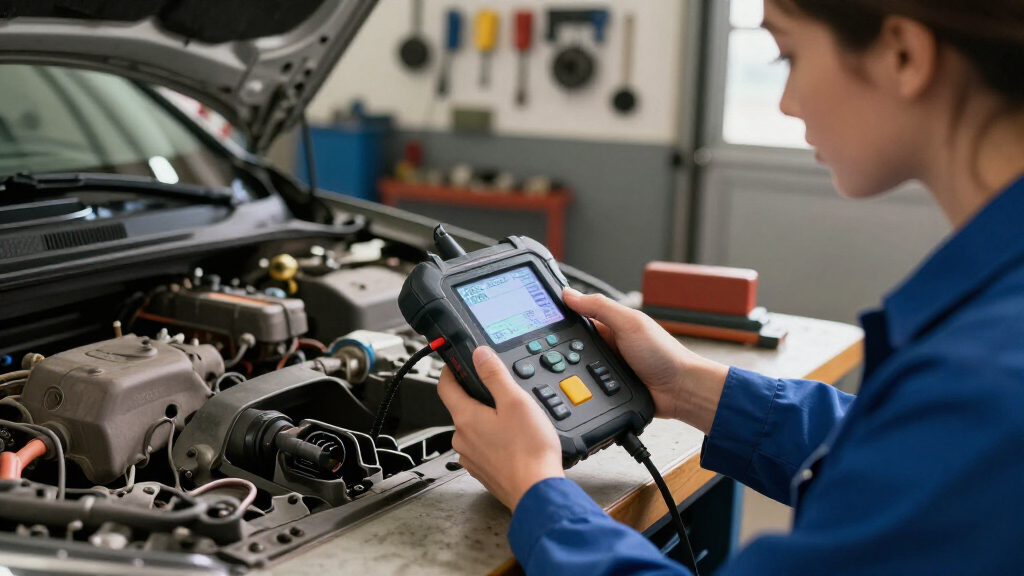
Car diagnostic scan tools, also known as OBD (On-Board Diagnostics) scanners, are devices that read and clear error codes stored in your vehicle’s computer. They act like a translator, turning complex codes into plain language. For example, a code like P0171 means your engine is running lean, and a good scanner will tell you that directly. These tools help identify issues with engine performance, emissions, brakes, airbags, and more.
Think about the last time your car hesitated on an incline or the engine light flickered unexpectedly. A diagnostic tool can give you immediate insights—saving you the trip to the mechanic for simple fixes or confirming when a professional is needed.
Products Worth Considering

Autel MaxiCOM MK808BT PRO Bidirectional OBD2 Diagnostic Scanner

Autel MaxiSYS MS906 MAX Automotive Diagnostic Scanner, 10.1-Inch

Innova 5610 OBD2 Bidirectional Scan Tool
As an affiliate, we earn on qualifying purchases.
The Main Types of Car Diagnostic Tools and Who They Suit
Diagnostic tools range from simple to sophisticated. Here’s a quick breakdown:
- Basic Code Readers: Cheap, straightforward, read and clear trouble codes. Great for beginners tackling minor issues.
- Advanced Scan Tools: Offer live data, bi-directional controls, and deep system diagnostics. Perfect for professional mechanics or serious DIYers.
- Wireless/Smartphone Apps: Connect via Bluetooth or Wi-Fi, turning your phone into a diagnostic hub. Ideal for tech-savvy car owners wanting convenience.
For example, a basic code reader might cost around $30 and help you clear a check engine light after replacing a faulty gas cap. Meanwhile, a professional scanner costing $1,000 can interface with hybrid and electric vehicles, providing detailed insights for complex repairs.
What Features Should You Look for in a Diagnostic Scanner?
Choosing a good diagnostic tool isn’t just about price. Consider these key features:
- Live Data Streaming: Watch real-time sensor info like RPM, coolant temp, or oxygen levels. This feature matters because it allows you to see how the vehicle’s systems behave under different conditions. For instance, if your engine stalls, live data can reveal if a sensor is giving inconsistent readings, pointing to specific parts that may be faulty. Without this, you’re essentially guessing which component is causing the problem, risking unnecessary repairs or overlooking the real issue.
- Freeze Frame Data: Captures snapshot of conditions when a fault occurs—helpful for understanding context.
- Emission Readiness: Checks if your vehicle can pass emissions testing, saving surprises at the test station.
- Bi-Directional Control: Sends commands to activate or test parts, like opening the throttle body or cycling the ABS pump. Useful for diagnosing complex systems.
For instance, a scanner with live data allowed a mechanic to see a fluctuating oxygen sensor voltage, revealing a failing sensor that caused poor fuel economy. This kind of insight can prevent replacing multiple parts blindly, saving time and money.
How Recent Tech Has Made These Tools Smarter and Easier
Car diagnostic tools are evolving fast. Bluetooth adapters and smartphone apps now let you scan your car with just a few taps. Popular apps like Torque or OBDLink add features like graphing sensor data and logging history. Some tools even connect to the cloud, storing your vehicle’s data online for long-term analysis or sharing with your mechanic.
Many modern scanners can interface with hybrid, electric, or advanced driver-assist systems, making them versatile for newer vehicles. AI-driven diagnostics are starting to appear, suggesting likely causes based on error codes and your vehicle’s history. Firmware updates are now delivered over the internet, keeping your scanner current without buying new hardware.
Imagine being able to check your car’s health from your phone while waiting in line at the coffee shop — that’s the new normal for vehicle diagnostics.
What’s Actually Inside a Diagnostic Tool? (And Why It Matters)
Inside a diagnostic scanner, you’ll find a microcontroller, memory, and a Bluetooth or Wi-Fi module if wireless. These components decode the signals from your vehicle’s OBD2 port, which uses standardized protocols like CAN (Controller Area Network). The device translates electrical signals into readable data.
For example, a professional scanner might have a powerful processor to handle complex coding or multiple system scans simultaneously. Cheaper models prioritize simplicity, but may lack the speed or depth needed for in-depth troubleshooting. Understanding this helps you pick a tool that matches your skill level and needs.
How to Pick the Right Diagnostic Scanner for Your Vehicle
Follow this step-by-step to find your perfect fit:
- Determine your budget: Entry-level tools cost $20–$50, while professional-grade scanners go upwards of $2000.
- Check compatibility: Most cars from 1996 onward support the OBD2 standard. Verify your vehicle’s make, model, and year.
- List must-have features: Decide if you need live data, bi-directional controls, or Bluetooth connectivity.
- Read reviews and compare: Look for trusted brands like Innova, Autel, or BlueDriver. Check user feedback for reliability and ease of use.
- Consider future needs: Will your vehicle be electric or hybrid? Do you want to perform advanced coding? Plan ahead.
For example, a DIYer wanting quick fixes might choose a Bluetooth adapter and app combo, while a professional might invest in a full scanner with multi-system capabilities.
The Real Benefits of Using a Car Diagnostic Scanner
Using a diagnostic scanner turns guesswork into certainty. Instead of throwing parts at your car, you get specific error codes. That saves money, time, and frustration. Plus, you gain confidence, knowing exactly what’s wrong before you start repairs.
For example, imagine your car’s ABS warning light appears. A scanner reveals a faulty wheel speed sensor. Instead of replacing the entire ABS module, you replace just that sensor — a quick fix that saves hundreds.
For mechanics, these tools streamline workflows, letting them diagnose issues in minutes instead of hours, and document problems for clients clearly.
Frequently Asked Questions
What is an OBD2 scanner, and do I need one for my car?
An OBD2 scanner is a device that reads diagnostic trouble codes from your car’s computer. If you want to understand why your check engine light is on or monitor your vehicle’s health, owning one is a smart move. They’re easy to use and can save you trips to the mechanic for minor issues.
Can I use a smartphone as a diagnostic tool?
Yes, with a compatible Bluetooth or Wi-Fi adapter and an app, your smartphone can act as a diagnostic scanner. This setup is affordable and highly portable, turning your device into a powerful troubleshooting tool. Just make sure your car supports the OBD2 standard.
Are cheap code readers reliable?
Basic code readers are quite reliable for reading common error codes and clearing the check engine light. However, they often lack advanced features like live data or system-specific diagnostics. For complex issues, investing in a more capable scanner pays off.
How do I interpret the error codes?
Error codes like P0171 or U0100 are standardized, but understanding their exact meaning might require consulting a code database or manual. Many scanners include explanations or link to online resources to help decode what’s going on.
Can diagnostic tools fix problems, or just find them?
Diagnostic tools only identify issues—they don’t repair them. Some can perform active tests or reset systems, but fixing the problem requires mechanical or electronic work. The scanner is your first step to understanding what needs fixing.